Launch Week · Feature Launches
Edit Mermaid diagrams visually with Visimer
 Abraham Aremu · · 3 min read
Mermaid diagrams are the go-to way that humans (and agents) like to represent diagrams when using Markdown. GitHub, IDEs like VS Code, and many docs and CMS platforms support Mermaid diagram rendering natively — it's largely become an extension of the Markdown format.
Today, we're introducing Visimer, our visual editor for Mermaid diagrams. With Visimer, you can rename labels, change shapes, add new nodes, and otherwise edit diagrams by just clicking and dragging. Visimer is built directly into OpenKnowledge so any Mermaid diagram in your markdown is editable, and is also available as an open source component library.
The Problem
Our workflow is often to use AI to help generate diagrams, and then we edit them to simplify or fine-tune details, especially when sharing with other team members or incorporating as part of a formal knowledge base.
The "fine-tuning" step can be cumbersome: using AI to make small edits, or digging into the source code to edit them. Mermaid syntax is powerful, but isn't necessarily intuitive to edit.
We wanted to make Mermaid diagrams intuitive to edit, taking a similar approach to how we built OpenKnowledge to be an intuitive, accessible way to edit markdown.
The Visual Editor
Visimer works as an overlay over the native Mermaid.js renderer. As you make edits, you see the changes take effect immediately.
To edit within OpenKnowledge, just open any Mermaid file ( files) or any Markdown file with a Mermaid diagram in the OpenKnowledge app and click the edit icon.
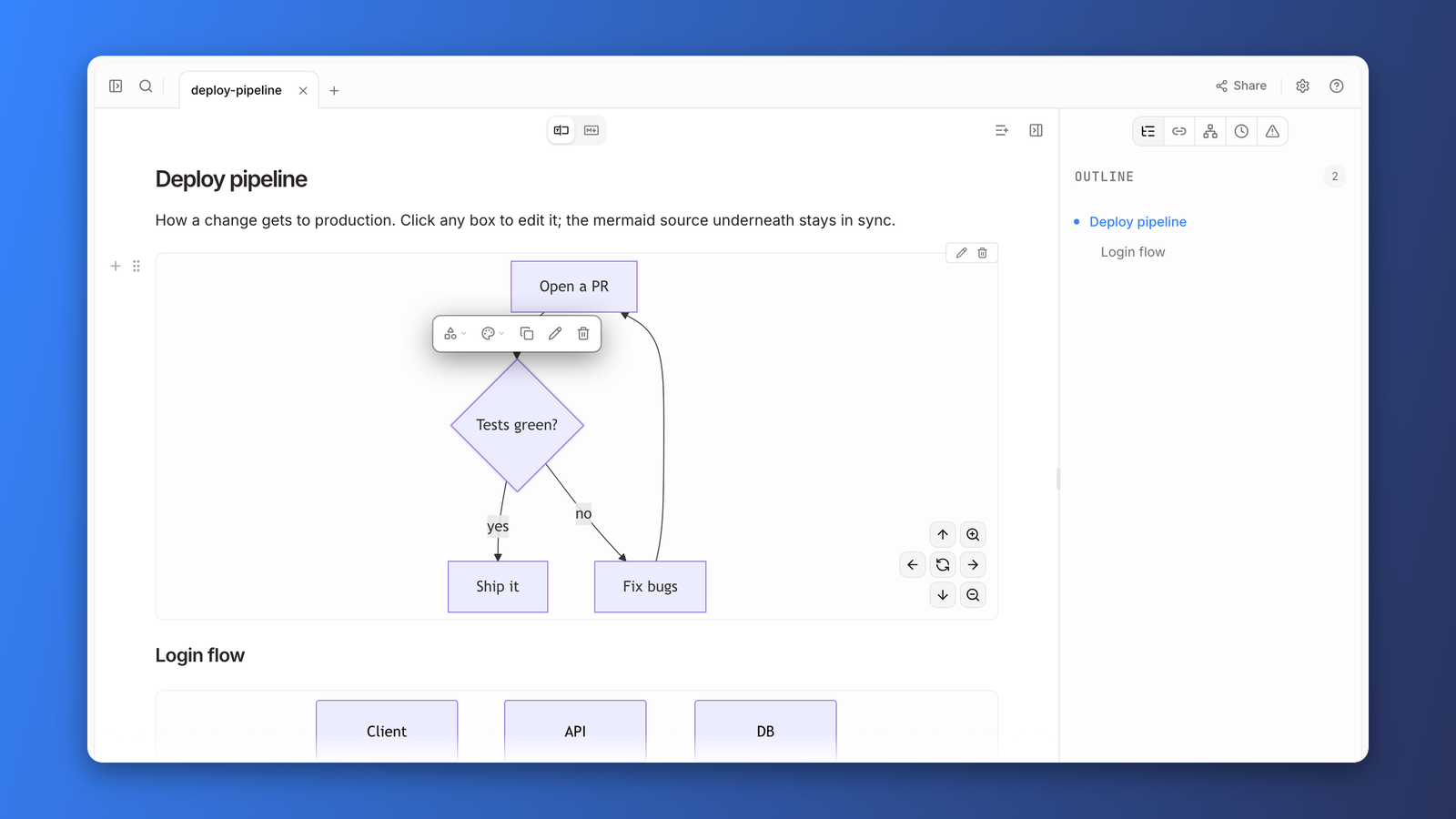
You'll see the live editor open as a modal with the visual editor and the source code editor side by side.
Click a node and a little popover shows up on the diagram: shape, colors, arrow types, duplicate, delete. Double-click a label and just type.
22 of the 23 Mermaid diagram types are editable. While most things can be edited visually, some — like the exact layout — cannot (due to the nature of the Mermaid renderer/format).
Architecture
We briefly considered building a Mermaid renderer from scratch — it would've let us build the editor to our full liking and avoided some constraints — but we wanted to preserve the native rendering so you can see and edit the diagram as you would see it in other Mermaid renderers.
So we kept the native renderer and overlaid it with our own editor knobs.
Visimer works by mapping the rendered Mermaid diagram SVG to a Concrete Syntax Tree (CST) representation.
We use that CST to edit the source file in only the places where it needs to be edited.
This approach allows us to provide edit functionality without clobbering comments or modifying other parts of the file.
Here's a real Mermaid diagram that showcases the architecture and is itself editable (we added Visimer to our blog site):
OSS Library
The editing engine turned out to be useful on its own, so it ships as a standalone MIT-licensed library: Visimer — a headless core () with DOM, React, CodeMirror, and Monaco bindings as scoped packages.
OpenKnowledge is the first app to adopt it natively end to end, and we hope to see it in more apps soon.
About the author