Launch Week · Feature Launches
Linux & Windows Apps + Remote Control

 Mike Rashkovsky, Omar Gonzalez · · 4 min read
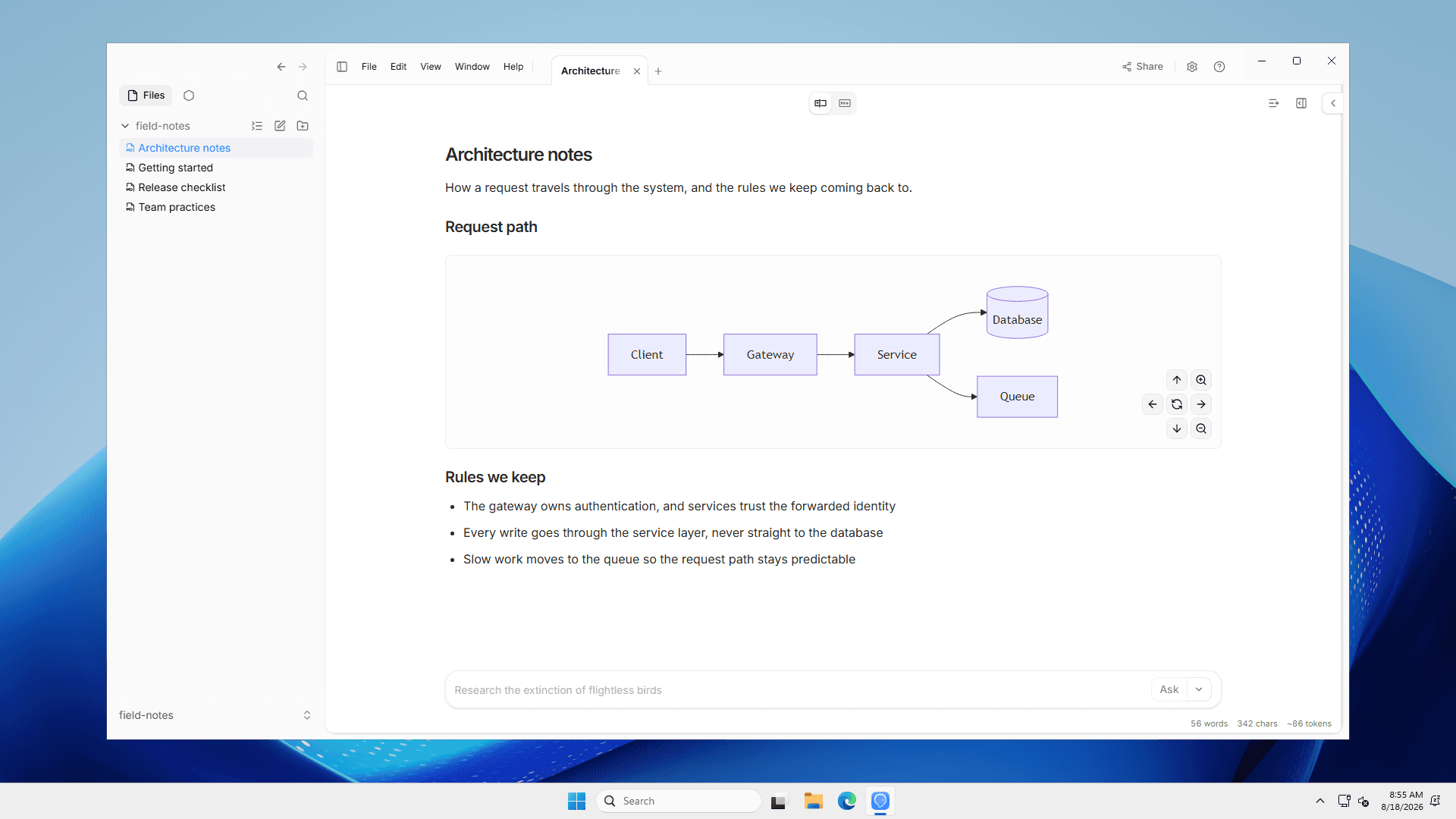
Our vision for OpenKnowledge is a shared system for both humans and agents to write, maintain, and collaborate on knowledge.
To meet this vision, we needed to meet teams where they work. So we built desktop apps for Linux and Windows, to join our Mac app. Now everyone gets the same great markdown IDE experience across any operating system.
We're also making OpenKnowledge more accessible to agents with Remote Control. You can run Remote Control from your device so it's accessible to your other devices, or deploy it in the cloud as a headless always-on service for your agents or your team.
The Linux and Windows apps
The same desktop app that ran on macOS now runs on Linux and Windows. The full app experience: the same Notion-like editor, git auto-sync and collaboration, and harness integrations with any agent.
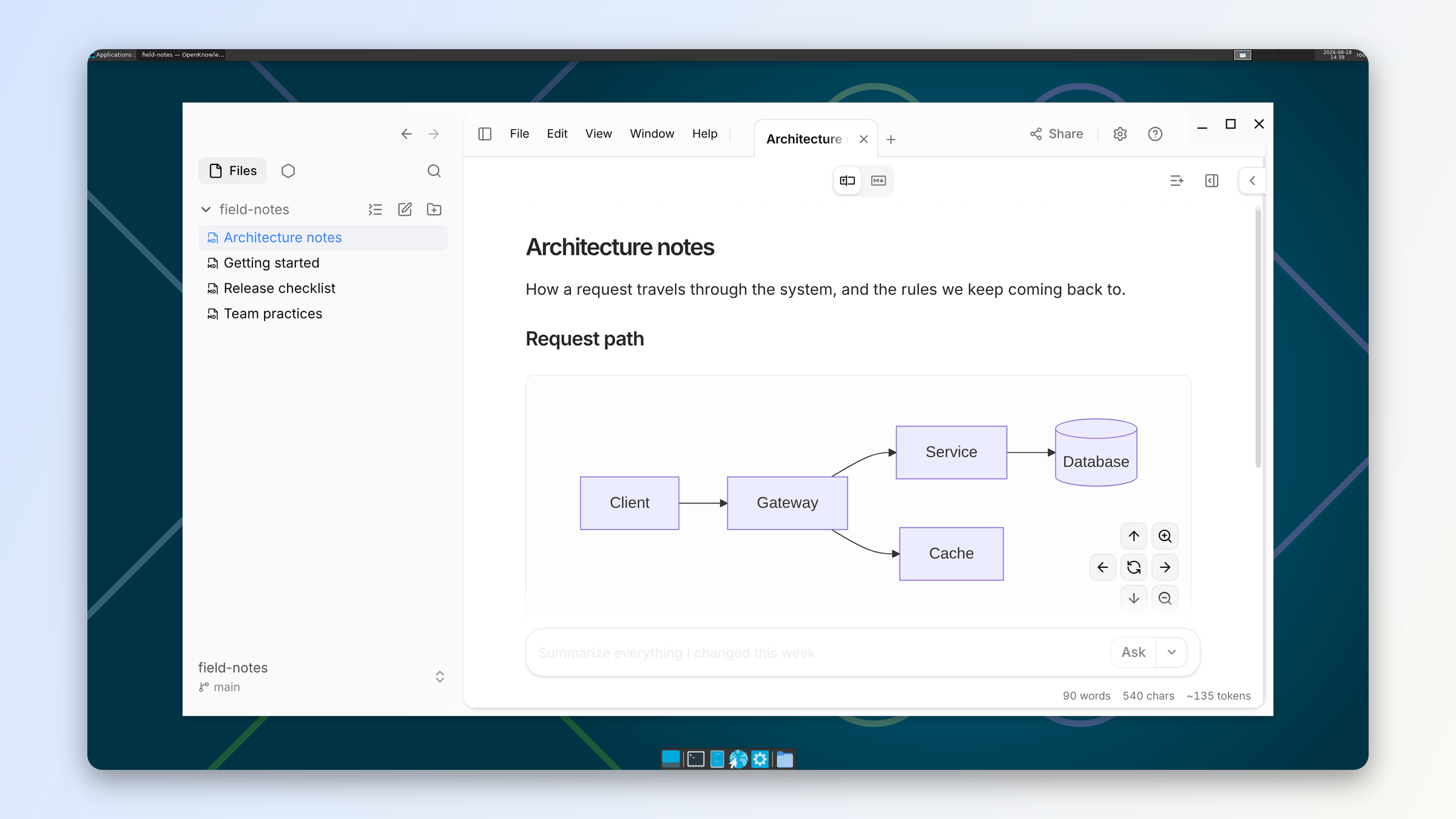
Linux ships as and packages, Windows as an installer — both for x64 and ARM64. Grab them from the download page.
There's no package repository to add and nothing to configure: the app provides automatic over-the-air (opt-in) updates. We ship updates a few times a day.
Remote Control from your computer
Under the desktop app, OpenKnowledge runs a local server for your knowledge base. Remote Control makes that server reachable beyond the machine it runs on, as a supported setup.
With Remote Control, you can make your knowledge available anywhere:
- mobile apps or web-based chat apps, like those for Codex or Claude
- cloud-based agents like Grok Bot
- agents on other devices, like an OpenClaw instance running on a server
You can do this right from your laptop or desktop that already runs OpenKnowledge as a desktop app.
Remote Control from a cloud server
You can now easily deploy OpenKnowledge to a service like Railway.
We package up the core server and release it as an npm package and CLI so it can be run anywhere.
When deployed like this, it becomes an always-on knowledge base you can connect to from any device or any agent, and you can also make it available to your team by adding your own authentication layer (see the authentication docs).
Either way you get one URL that works two ways. Open it in a browser and you're editing, live, with other agents or other team members. Give an agent the same URL with appended — the server's built-in MCP endpoint — and it can read and write the same knowledge base.
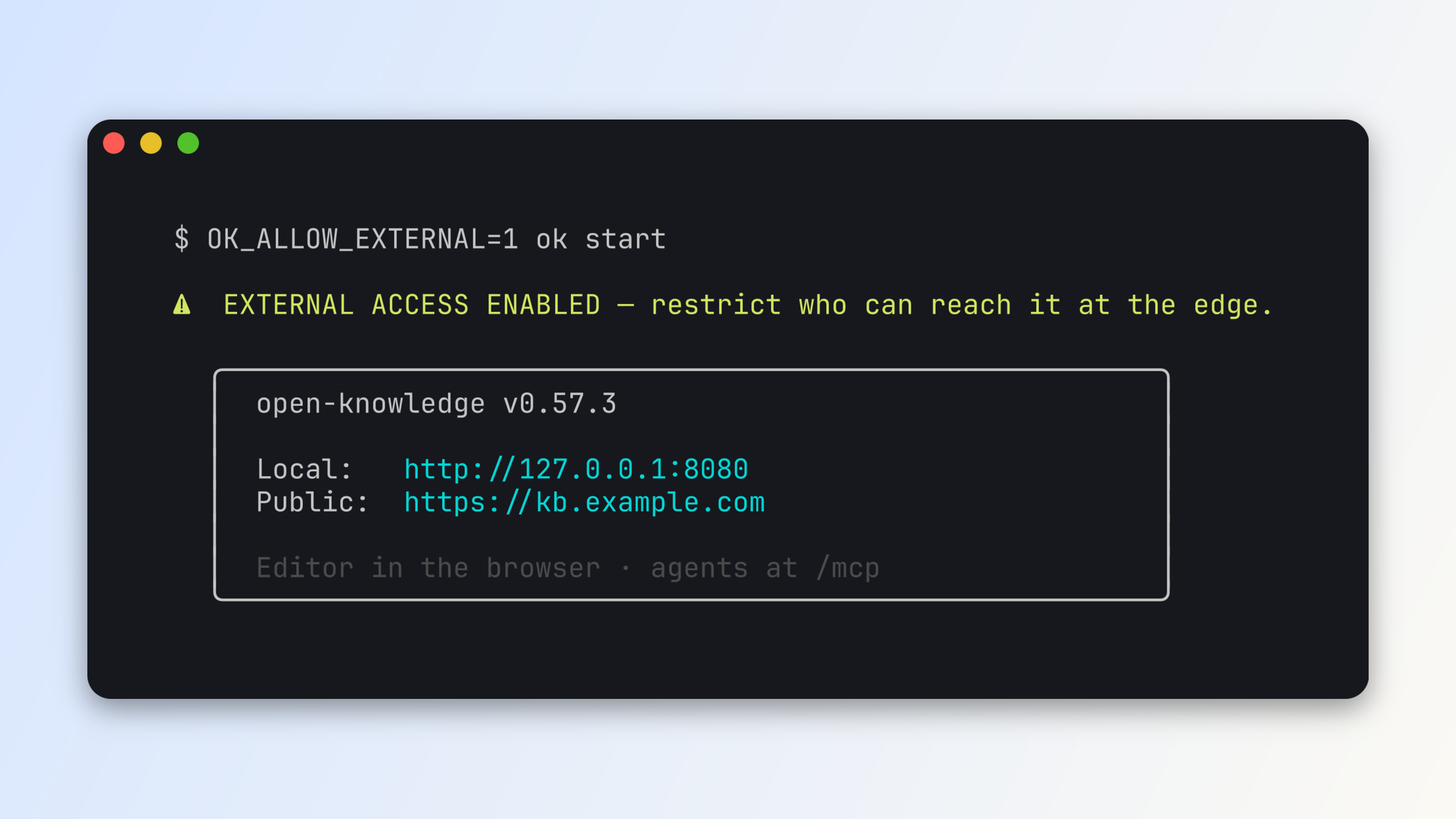
Setup is a few lines of config.
# .ok/config.yml — committed, shared with your teamserver: port: 8080 externalUrl: https://kb.example.com# .ok/local/config.yml — this machine onlyserver: allowExternal: true idleShutdown: 'off'Then . (For one-off runs and containers, the same declarations exist as environment variables — .)
You can use any HTTPS tunnel (Tailscale, ngrok, Cloudflare Tunnel) or reverse proxy in front of the service to add your own networking or authentication gates. The self-hosting docs walk through each path.
Expect more updates to come for Remote Control and self-hosted deployments: multi-person attribution, RBAC, and more.
How it's built
For Remote Control, there's deliberately no hosted service in the middle. The server you already run is the deployable unit: the exact same runs on your laptop, a VPS, or a container, and your knowledge base stays a plain git repository on a disk you control.
Here's the shape of it — rendered as a Mermaid diagram with Visimer, which we launched yesterday:
Get started
Download the app for macOS, Windows, or Linux or check out the Remote Control docs.
About the authors